Get a Dutch IP address with KlarVPN. Browse through your own encrypted tunnel, protect your connection, and see your session and usage information in a live dashboard.
Private browsing.Protected connection.Privacy you can see.
Want a Dutch IP address without dealing with complicated VPN settings?
Choose the Netherlands in KlarVPN and connect through your own encrypted tunnel. Whether you're accessing Dutch websites from abroad, travelling across Europe, or using public Wi-Fi, KlarVPN makes it easy to browse with a Netherlands VPN connection.
Connect through the Netherlands so websites using IP-based geolocation can recognize your connection as Dutch. Useful for visiting Netherlands-focused websites, exploring local services, and browsing with a Dutch VPN IP.
Protect Your Connection on Public Wi-Fi
From Schiphol Airport to train stations, hotels, and cafés, shared networks aren't always under your control. KlarVPN encrypts your connection, helping protect your online traffic when using public Wi-Fi in the Netherlands or abroad.
Access Familiar Dutch Websites While Travelling
Outside the Netherlands? A Dutch VPN IP can help when visiting websites and services you normally access from the country. Keep in mind that some platforms also check account settings, device location, or other information.
A Practical Connection for European Travel
Travelling between the Netherlands, Belgium, Germany, and other European countries? Keep the Netherlands as your selected VPN location when you want a Dutch IP address, and switch to another KlarVPN location whenever your needs change.
Not a Crowded VPN Pipe
A VPN should do more than display a connected icon.
KlarVPN creates a dedicated, encrypted tunnel for your session, with its own encryption keys, rather than sharing another user's tunnel.
Your tunnel is private to your connection, while the public VPN IP address may still be shared. A dedicated tunnel doesn't mean you're purchasing a dedicated IP.
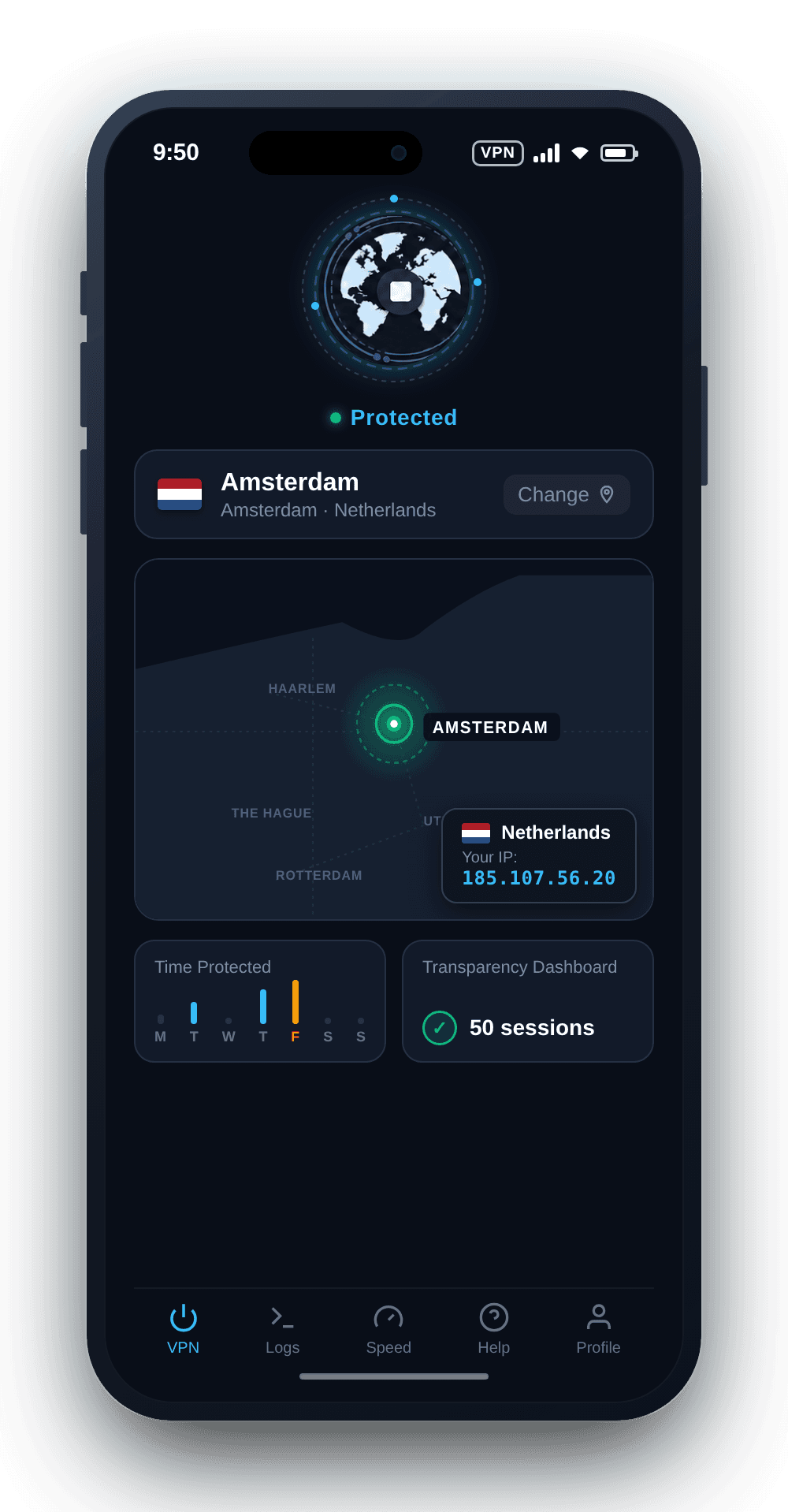
And with the Transparency Dashboard, you can see the session and bandwidth-usage information KlarVPN retains.
An individual encrypted tunnel and session keys for your VPN connection, included with every KlarVPN plan.
Live Transparency Dashboard
See your sessions and bandwidth usage, rather than relying only on a VPN connection indicator.
Refresh Tunnel
Rebuild your VPN tunnel with fresh encryption keys, a refreshed tunnel fingerprint, and a new VPN IP address.
Kill Switch
Help prevent unprotected traffic if your VPN connection unexpectedly drops.
Auto-Connect
Automatically activate VPN protection when joining a network, where supported and enabled in the app.
Get a Dutch IP Address With KlarVPN
Need websites to see a Netherlands VPN IP instead of your regular public IP address?
Select the Netherlands in KlarVPN and connect. Your internet traffic travels through an encrypted VPN tunnel and exits through the selected Dutch location.
Websites using IP-based geolocation will generally identify your connection as being from the Netherlands. Your physical GPS location, browser language, and account-region settings remain unchanged.
A Netherlands VPN routes your internet connection through a VPN endpoint in the Netherlands. Websites using IP-based geolocation will generally see a Dutch VPN IP address instead of your normal public IP.
How can I get a Dutch IP address with KlarVPN?
Open KlarVPN, select the Netherlands from the available VPN locations, and tap Connect. Your traffic will be routed through the Dutch VPN location, giving you a Netherlands-based public IP address.
Can I access Dutch websites while travelling abroad?
Yes, you can connect through a Dutch VPN location while travelling, provided the VPN is accessible on your current network. Some websites may still apply account, geographic, or network restrictions.
Will a Netherlands VPN automatically change my browser language to Dutch?
No. A VPN changes the IP address websites see, but it doesn't automatically change your browser language. Websites may also use cookies, account preferences, and browser settings to choose which language to display.
Is a dedicated VPN tunnel the same as a dedicated IP?
No. KlarVPN creates an individual encrypted tunnel for your connection, but your public VPN IP address may still be shared with other users.
Does KlarVPN keep browsing activity logs?
According to KlarVPN's published privacy policy, it does not retain browsing history, DNS queries, or destination IP activity logs. It processes the information needed for your account, connection, and usage limits.
Can I use KlarVPN's Netherlands VPN for free?
Yes. The Netherlands and all other KlarVPN locations are available on the Free plan, which includes 3 GB of data every month. You can upgrade to a paid plan if you need more data.