Protect Your Connection on Public Wi-Fi
Airports, hotels, cafes, universities, and public hotspots are useful, but you don’t control them. KlarVPN encrypts your connection so you can browse with more privacy on unfamiliar Wi-Fi.
Protect your iPhone with your own encrypted VPN tunnel and see exactly what your VPN knows about you.
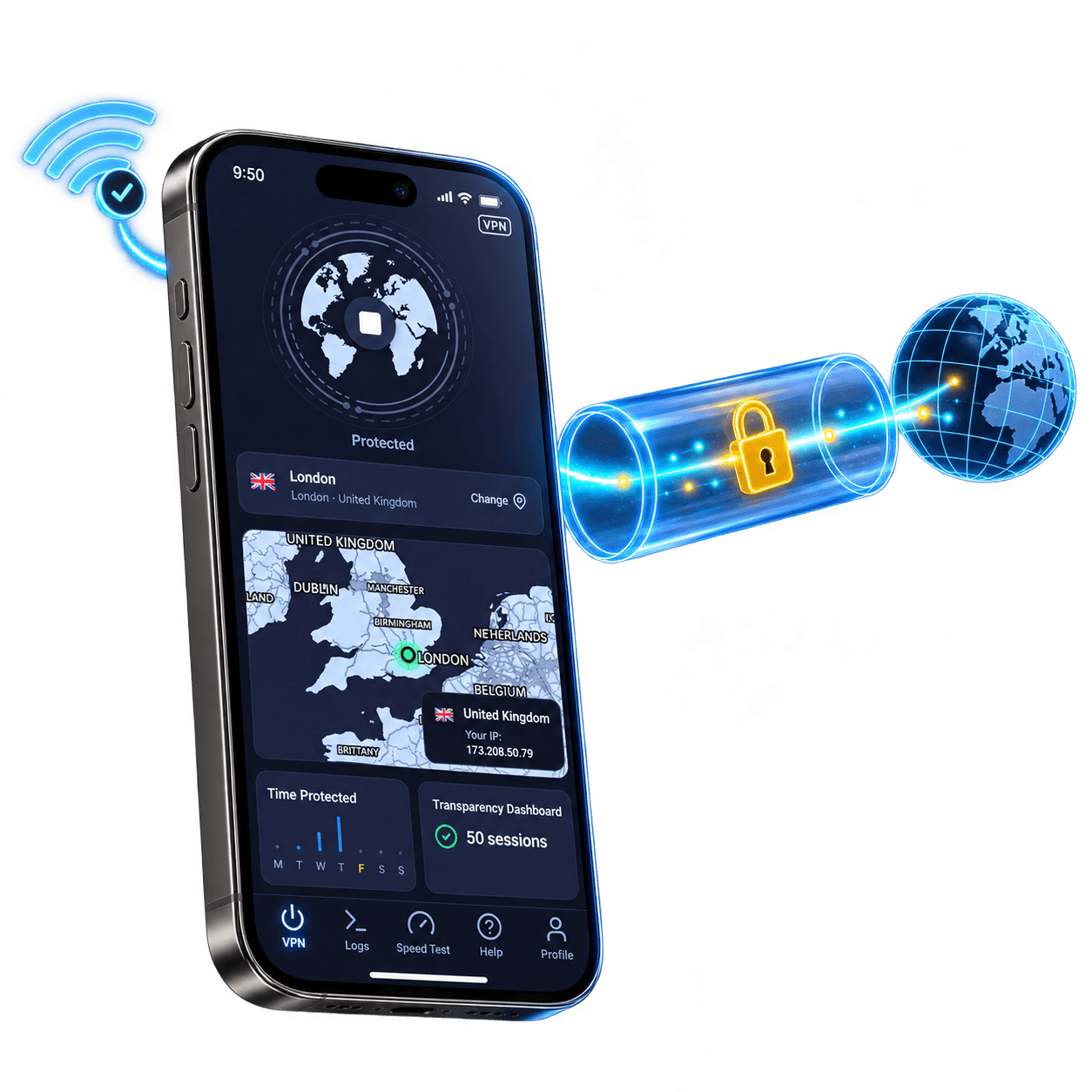
Your iPhone can be secure while the Wi-Fi you’re using is not.
KlarVPN encrypts your internet connection before your traffic leaves your iPhone, helping keep your real IP and browsing activity away from the network you’re connected to.
Airports, hotels, cafes, universities, and public hotspots are useful, but you don’t control them. KlarVPN encrypts your connection so you can browse with more privacy on unfamiliar Wi-Fi.
Connect through KlarVPN, and websites see your VPN IP instead of your real network IP address.
Your iPhone switches between Wi-Fi and mobile data throughout the day. KlarVPN reconnects quickly and keeps protection simple when your network changes.
Select from available KlarVPN locations whenever you want a different VPN location on your iPhone.
Most VPNs say “No Logs.” KlarVPN lets you check.
Open KlarVPN’s Transparency Dashboard and see what exists about your account.
You’ll see your bandwidth usage.
You won’t see a browsing history, DNS history, or list of websites you’ve visited because KlarVPN doesn’t keep them.
You shouldn’t have to take a VPN’s word for it.
Your connection gets its own encrypted tunnel instead of being mixed into a crowded shared VPN pipe.
If your VPN drops, Kill Switch helps stop traffic from continuing outside the protected tunnel.
Let KlarVPN protect your iPhone automatically when you join an untrusted network.
Start fresh with new encryption keys, a new VPN IP, and a rebuilt tunnel.
See the data KlarVPN actually keeps instead of relying on a privacy claim.
The free plan is built to let you try KlarVPN, not to monetise your browsing.
Get KlarVPN on your iPhone from the App Store.
Select the VPN location you want to use.
KlarVPN creates your encrypted tunnel and protects your connection.
Every plan, including free, comes with a dedicated private tunnel, no ads, and a transparency dashboard. We don’t sell your data on any plan. That’s not a business model we’re willing to have. Need More Usage? Simple paid plans.
No sneaky auto-renewal tricks. Cancel anytime. Even free users get their own private tunnel.
| What KlarVPN Gives You | Why It Matters |
|---|---|
| Your own encrypted tunnel | A VPN tunnel created for your account |
| Transparency Dashboard | See what KlarVPN actually stores |
| No activity logs | No browsing history, DNS queries, or destination IP logs |
| Refresh Tunnel | Rebuild your tunnel with fresh keys and a new VPN IP |
| Kill Switch | Helps prevent unprotected traffic if the VPN drops |
| Auto-Connect | Protect unfamiliar networks automatically |
| 3 GB free every month | Try KlarVPN before deciding to upgrade |
Your iPhone goes everywhere.
Your VPN should be ready when you connect at home, at work, at the airport, in a hotel, or on the next Wi-Fi network you do not control.
Get KlarVPN and browse through your own encrypted tunnel with privacy you can actually see.
A VPN for iPhone encrypts internet traffic between your iPhone and the VPN service and replaces your visible network IP with a VPN IP. This adds privacy when browsing on Wi-Fi or mobile data.
iOS supports VPN connections and VPN configurations, but it does not provide a complete VPN service by itself. An app such as KlarVPN provides the VPN service and handles the connection for you.
A VPN is useful if you want more privacy from networks you connect to, want to hide your real IP address from websites, or regularly use public and unfamiliar Wi-Fi.
Yes. KlarVPN includes 3 GB of VPN data every month on the free plan with no ads or tracking.
Yes. KlarVPN works when your iPhone uses Wi-Fi or cellular data.
Yes. Open KlarVPN, select another available VPN location, and connect.
Yes. KlarVPN is available for both iPhone and iPad.
No. KlarVPN does not keep your browsing history, DNS queries, or destination IP logs.