Protect More Than Your Browser
KlarVPN protects traffic routed through your VPN connection, including email, banking, messaging, shopping, work, and travel apps.
Protect your Android with your own encrypted VPN tunnel and see exactly what your VPN knows about you.
Your phone moves between networks every day. They do not all deserve the same level of trust.
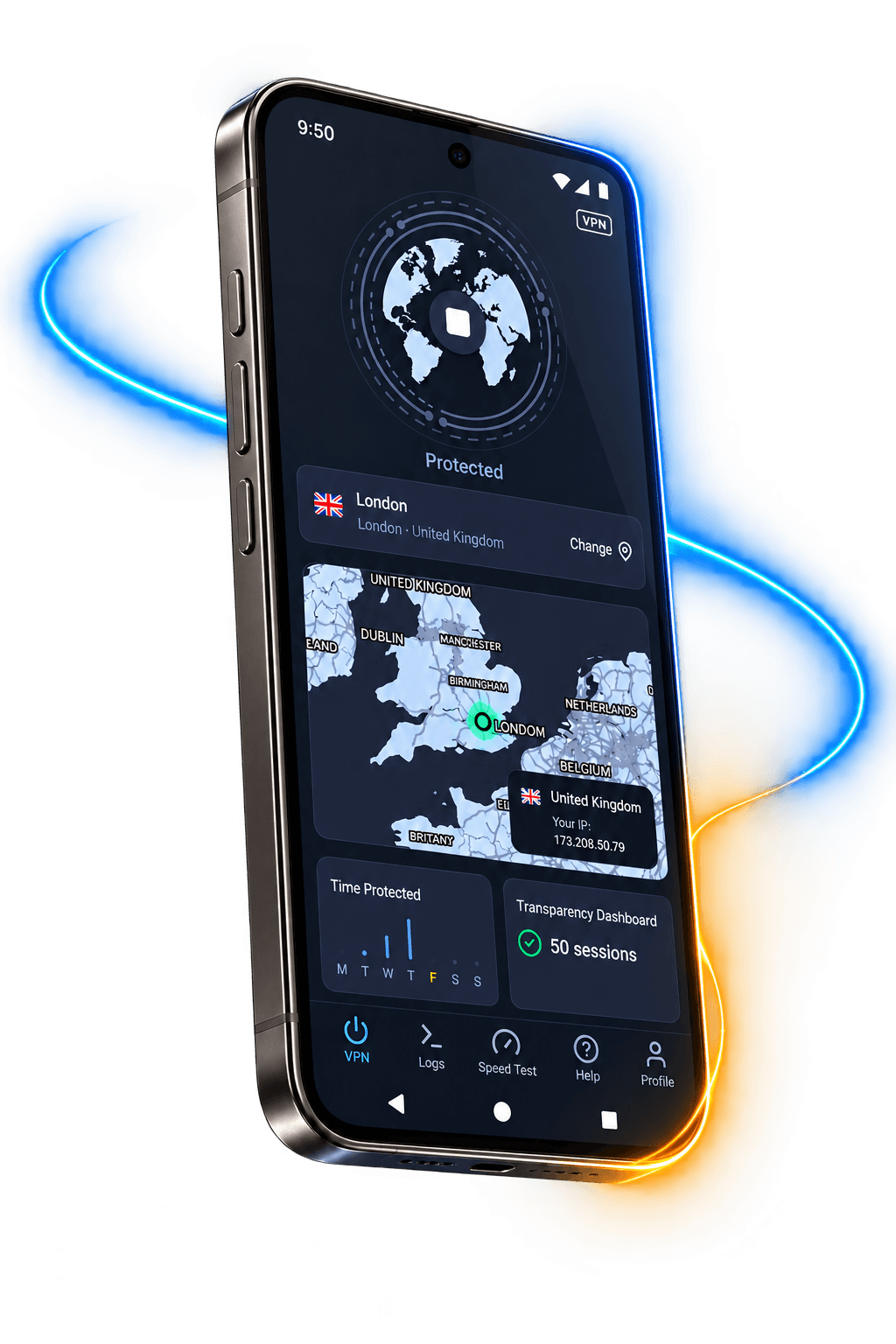
KlarVPN encrypts your connection before traffic leaves your Android device, helping keep your real IP and browsing activity away from the network you are connected to.
KlarVPN protects traffic routed through your VPN connection, including email, banking, messaging, shopping, work, and travel apps.
Connect through KlarVPN, and websites see your VPN IP instead of your real network IP address.
KlarVPN encrypts your connection before traffic crosses airport, hotel, cafe, campus, coworking, and other public networks.
Auto-Connect helps keep protection simple as your Android moves between Wi-Fi and mobile data throughout the day.
KlarVPN does not think trust should be blind.
Open the Transparency Dashboard and see what exists about your account.
You can see your bandwidth usage.
You will not find a browsing history, DNS history, or list of destination IPs because KlarVPN does not keep them.
Privacy should be something you can check.
Your connection gets its own encrypted tunnel instead of being mixed into a crowded shared VPN pipe.
If your VPN connection drops, Kill Switch helps stop traffic from continuing outside the protected tunnel.
Let KlarVPN protect your Android automatically when you join a network you have not marked as trusted.
Start fresh with new encryption keys, a new VPN IP, and a rebuilt tunnel.
See what KlarVPN actually keeps about your account instead of relying only on a privacy promise.
The free plan is built to let you try KlarVPN, not to turn your browsing activity into the product.
Get KlarVPN on your Android device from Google Play.
Android will ask you to approve KlarVPN the first time it creates a VPN connection. Tap Allow to continue.
Select the VPN location you want to use.
KlarVPN creates your encrypted tunnel and protects your connection. That's it.
Every plan includes your own private tunnel, no ads, and access to KlarVPN privacy features. We do not turn your browsing activity into a business model just because you use the free plan. Download KlarVPN, then choose a plan in the app.
No sneaky auto-renewal tricks. Cancel anytime. Even free users get their own private tunnel.
| What KlarVPN Gives You | Why It Matters |
|---|---|
| Your own encrypted tunnel | A VPN tunnel created for your account |
| Transparency Dashboard | See what KlarVPN actually stores |
| No activity logs | No browsing history, DNS queries, or destination IP logs |
| Device-level VPN protection | Protect app traffic using the VPN connection, not only browser activity |
| Refresh Tunnel | Rebuild your tunnel with fresh keys and a new VPN IP |
| Kill Switch | Helps prevent unprotected traffic if the VPN drops |
| Auto-Connect | Protect unfamiliar networks automatically |
| 3 GB free every month | Try KlarVPN before deciding to upgrade |
| No ads or tracking | Free does not mean giving up your privacy |
Your Android does more than browse the web.
It handles your messages, accounts, work, travel, payments, and the apps you use every day.
KlarVPN gives that connection its own encrypted tunnel with privacy you can actually see.
Download KlarVPN, choose a location, and tap Connect.
Install KlarVPN, connect to a location, and start with 3 GB free every month.
Download KlarVPN FreeGet it on Google PlayFAQ
Answers about Android VPN protection, device settings, mobile data, and KlarVPN.
Visit the Help CenterA VPN for Android encrypts internet traffic between your Android device and the VPN service and replaces your visible network IP with a VPN IP. This adds privacy while using Wi-Fi or mobile data.
Android supports VPN connections, but that is not the same as having a complete VPN service. You generally still need VPN connection details or a VPN app such as KlarVPN. Some eligible Pixel devices also include VPN by Google.
A VPN is useful if you want more privacy from the networks you connect to, want to hide your real IP address from websites, or regularly use public and unfamiliar Wi-Fi.
Android requires your approval before a VPN app can create a VPN connection. This normal security step lets KlarVPN route supported internet traffic through its encrypted tunnel.
Yes. KlarVPN includes 3 GB of VPN data every month on the free plan with no ads or tracking.
KlarVPN works at the Android VPN connection level rather than as a browser-only extension. Traffic from apps using that VPN connection can travel through the encrypted tunnel.
Yes. KlarVPN can be used when your Android device is connected through Wi-Fi or cellular data.
Yes. Open KlarVPN, choose another available VPN location, and connect.
Yes. When you connect to KlarVPN, websites see your VPN IP instead of your real network IP. Choose another location or use Refresh Tunnel to start a fresh VPN-side session.
No. KlarVPN does not keep your browsing history, DNS queries, destination IP logs, or behavioural profiles.
No. KlarVPN gives you your own encrypted VPN tunnel. A private tunnel is different from assigning one dedicated public IP address to one user.
It depends on the VPN. Check what data it collects, what permissions it requests, whether it shows ads or tracks activity, and how the service pays for its free plan. KlarVPN uses a monthly data allowance instead of ads or browsing-activity tracking.